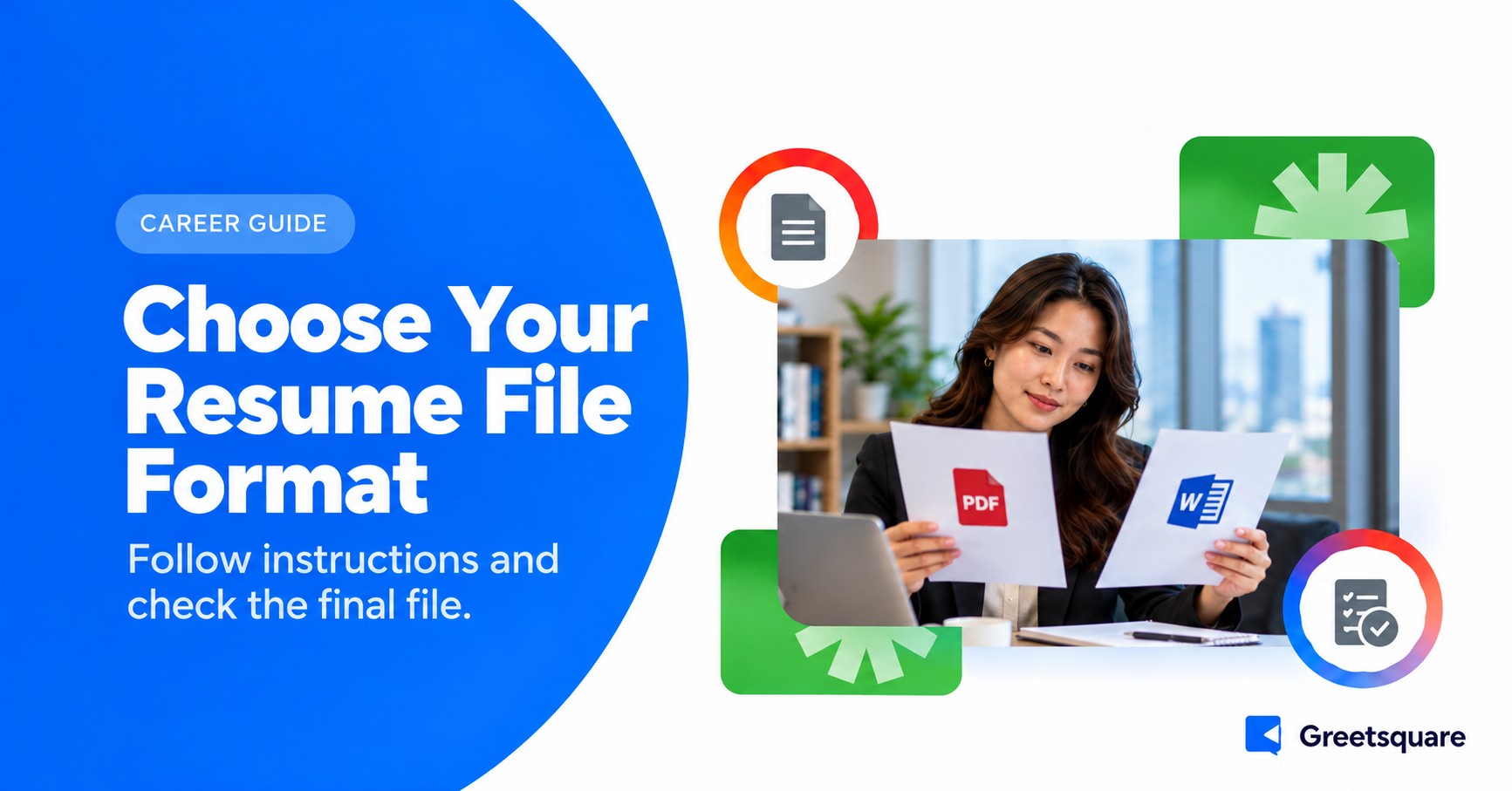
The best resume file format is the one the employer requests and its application system accepts. If a choice is allowed, compare the final PDF or Word file for layout, readable text and working links. Keep an editable master, export carefully and check the uploaded version before submitting.
This guide focuses on file preparation and delivery. It does not claim that one extension passes every applicant tracking system. Our ATS-friendly resume guide covers the wider content and structure considerations, while the employer’s current instructions determine what you should upload.
What Career Guidance Says About File Checks
Harvard’s resume guidance recommends checking that formatting translates properly when converted to PDF. Use this as a practical quality check, not a guarantee about every hiring system. The final file needs inspection even when the editable source looked correct on your own screen.
Read the Submission Instructions First
Check accepted file types, maximum size, naming requirements and whether the employer wants a separate cover letter or combined document. A portal may accept more than one format while the vacancy requests a particular one. Read both the job instructions and the upload screen before choosing.
If the system rejects the requested format, look for an explanation such as size, password protection or an unsupported variant. Use the stated support channel when necessary. Do not repeatedly rename the file extension and assume that changes the underlying document type. A file should be exported or saved in the intended format.
Some applications require text to be entered into fields as well as a document upload. Complete those fields accurately instead of assuming the attachment replaces them. Check extracted information where the system offers a review, especially dates, job titles and contact details.
Understand What PDF and Word Each Offer
PDF for a Fixed Presentation
A properly exported PDF can preserve the intended page layout for viewing. However, a PDF can still have unreadable text, incorrect order or broken links. An image-only scan is different from a document with selectable text, even though both may share the same extension.
Open the exported file in a viewer and inspect all pages. Select and copy a small sample of text to check that it is present and reasonably ordered. This is a useful diagnostic, not a complete simulation of every parsing tool or a guarantee that an application system will interpret the document perfectly.
Word for an Editable Document
A Word file retains editable content and may be specifically requested by an employer or recruiter. Its layout can still change across software, fonts or settings. Inspect the saved version and avoid assuming that a format displayed correctly on your device will appear identically everywhere.
Use a simple, consistent document structure and remove unresolved comments or tracked revisions from the submission copy. Keep a separate working version if you need the editing history. Check the final visible content rather than relying only on the filename to tell you which version is ready.
Create a Clean Submission Copy
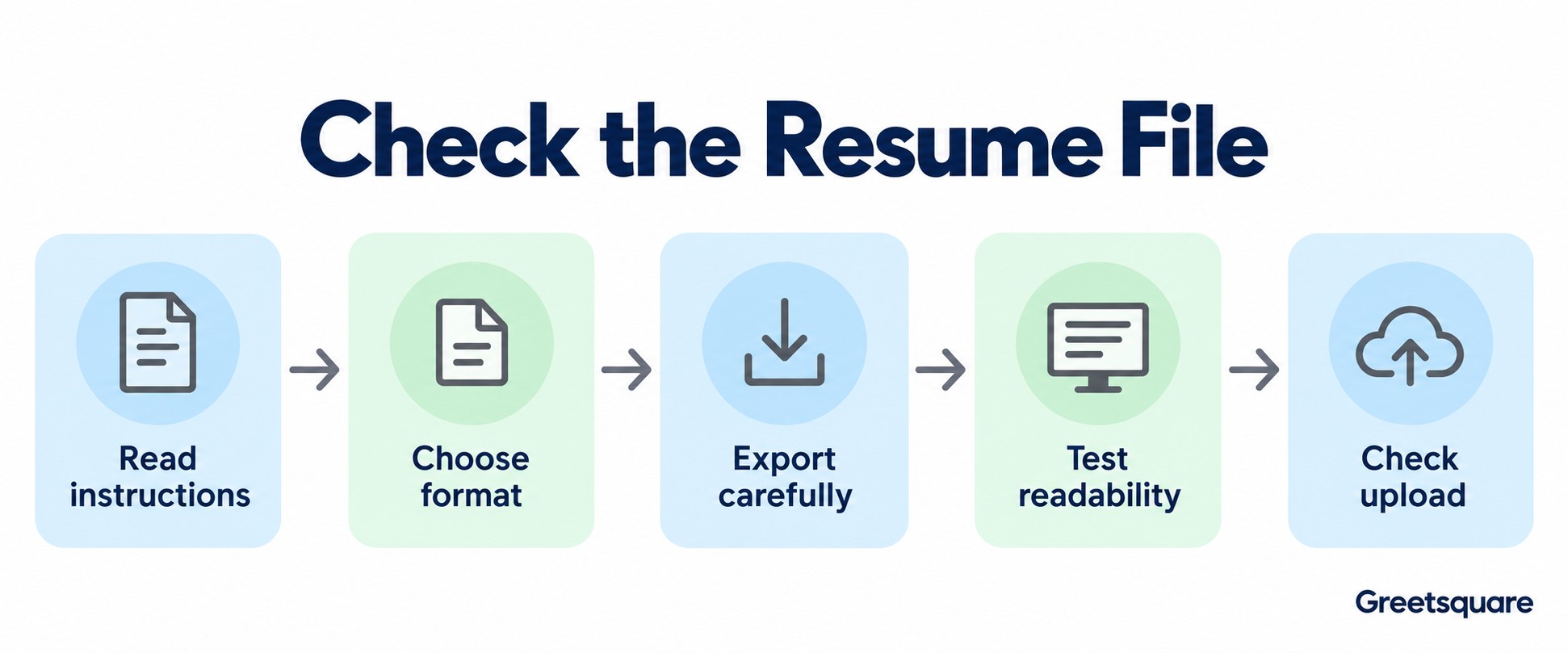
Maintain an editable master and save the application-specific copy with a clear name. Include enough information to identify the document without adding private details or confusing version labels. For example, a simple candidate-name and role-based filename is easier to recognise than several files called final, final-new and final-latest.
Check that the copy contains the intended summary, experience and contact information for the role. It is easy to export an earlier version after editing another window. Compare the first page and a distinctive recent change with your final source before attaching the file.
Our resume tailoring guide covers application-specific content. File management supports that work by keeping the correct evidence connected to the correct vacancy. A well-tailored resume provides little benefit if you accidentally submit an unrelated earlier version.
Test Readability, Links and Page Structure
Review the file at normal size and check every page. Look for clipped text, missing symbols, changed fonts and awkward breaks. Ensure headings remain attached to the content they introduce. If the file includes a second page, confirm that it contains the intended information rather than an accidental blank page.
Test professional links using the exported document. A visible URL and its underlying destination can differ, so inspect both. Check that a portfolio opens without requesting inappropriate access and that the content is something you are authorised to share. Do not include a private link that only works because you are signed in.
A plain-text copy can reveal obvious ordering issues, but do not treat it as a definitive ATS test. If content appears scrambled, simplify the structure and export again. Our role-based resume examples can help you organise the evidence clearly before you refine the final layout.
Check that the filename and visible role focus agree. If you maintain several application versions, use a small submission checklist so the final attachment is chosen deliberately rather than from a recent-files list alone.
Confirm What the Portal Received
After uploading, check the displayed filename and any preview or download offered. Verify the document type and size if shown. If the system extracts fields, review them rather than accepting obvious errors. Follow the portal’s process for replacing an attachment before the final submission.
Keep the submitted copy and confirmation in a private application folder so you can refer to the same version during an interview. If you later send an updated document at the recruiter’s request, identify the update clearly. Do not assume an old portal attachment has been replaced merely because you emailed a new version.
If the application requests a separate video introduction, Greetsquare’s video resume tools can support that format. Check the employer’s link instructions and keep the facts consistent with your written resume. Each file or link should serve a clear purpose in the application.
Frequently Asked Questions
Should I Send My Resume as PDF or Word?
Follow the employer’s instructions and the portal’s accepted file types first. If either is allowed, inspect the actual file for readable content, layout and working links before choosing. Neither extension guarantees correct interpretation by every system, so check the uploaded version and any extracted fields the application lets you review.
Is Every PDF Resume ATS-Friendly?
No. A PDF may contain selectable text, an image-only scan or a complex layout with an unclear reading order. Check the content and structure rather than relying on the extension. Copying text can reveal obvious issues, but it does not fully reproduce every employer’s parsing process or guarantee an outcome.
Can I Rename a File Extension to Change Its Format?
Renaming the extension does not reliably convert the underlying document. Use the application’s save or export function to create the requested type, then open and inspect the resulting file. Confirm that the content, page structure and links remain correct before uploading it through the employer’s stated application process and instructions.
What Should I Check After Uploading My Resume?
Confirm the filename, attachment version and any preview the system provides. Review extracted contact details, roles and dates if they are shown, and correct obvious errors through the available controls. Keep a copy of what you submitted so your interview preparation refers to the same document the employer actually received.