
A resume projects section shows relevant work through a clear purpose, your role, key actions and an output or result. Choose projects that add evidence the reader needs, and label their setting accurately. A personal prototype, academic assignment and deployed workplace system can all be useful, but they are different kinds of experience.
This article covers selecting and describing projects within a written resume. Our resume writing guide explains the wider document, while the digital portfolio guide covers presenting work in greater depth outside the resume.
What Career Guidance Says About Project Evidence
UC San Diego’s resume guide provides a structure for describing relevant work and skills. Use that approach to make project evidence understandable to the reader. A project name or list of tools alone does not explain the problem, your contribution or what the work actually produced.
Choose Projects That Add Something Distinct
Start with the role’s main responsibilities and identify what each possible project demonstrates. A project might show analysis, design, coordination, research or communication. Select it because the work is relevant, not simply because it is the most recent assignment or used a fashionable tool.
Compare the project with your employment entries. If it repeats evidence already clear elsewhere, consider whether it deserves separate space. A different project may help address a gap in the application. You can also describe a workplace project beneath the job where it occurred rather than duplicating it in two sections.
For early-career candidates, projects can provide useful evidence before a substantial work history develops. The resume guide for applicants without work experience explains how to combine study, volunteering and other activities without making them appear to be employment.
Label the Setting and Scope Clearly
Give the project a descriptive title and enough context to establish its setting. State whether it was an academic team assignment, personal exercise, volunteer activity or professional project. Include a relevant date or period consistently with the rest of the resume.
Clarify whether the work was a proposal, prototype, completed analysis or deployed product. If a demonstration used fictional data, say so where that affects interpretation. Do not imply that a classroom concept served paying customers or that a tutorial exercise was independent client work.
The setting does not need an apology. A well-explained academic project may show useful reasoning and execution. The key is to describe what it establishes, without upgrading its commercial scale or hiding the assistance, constraints and team contribution that shaped the output.
Describe the Project in a Useful Order
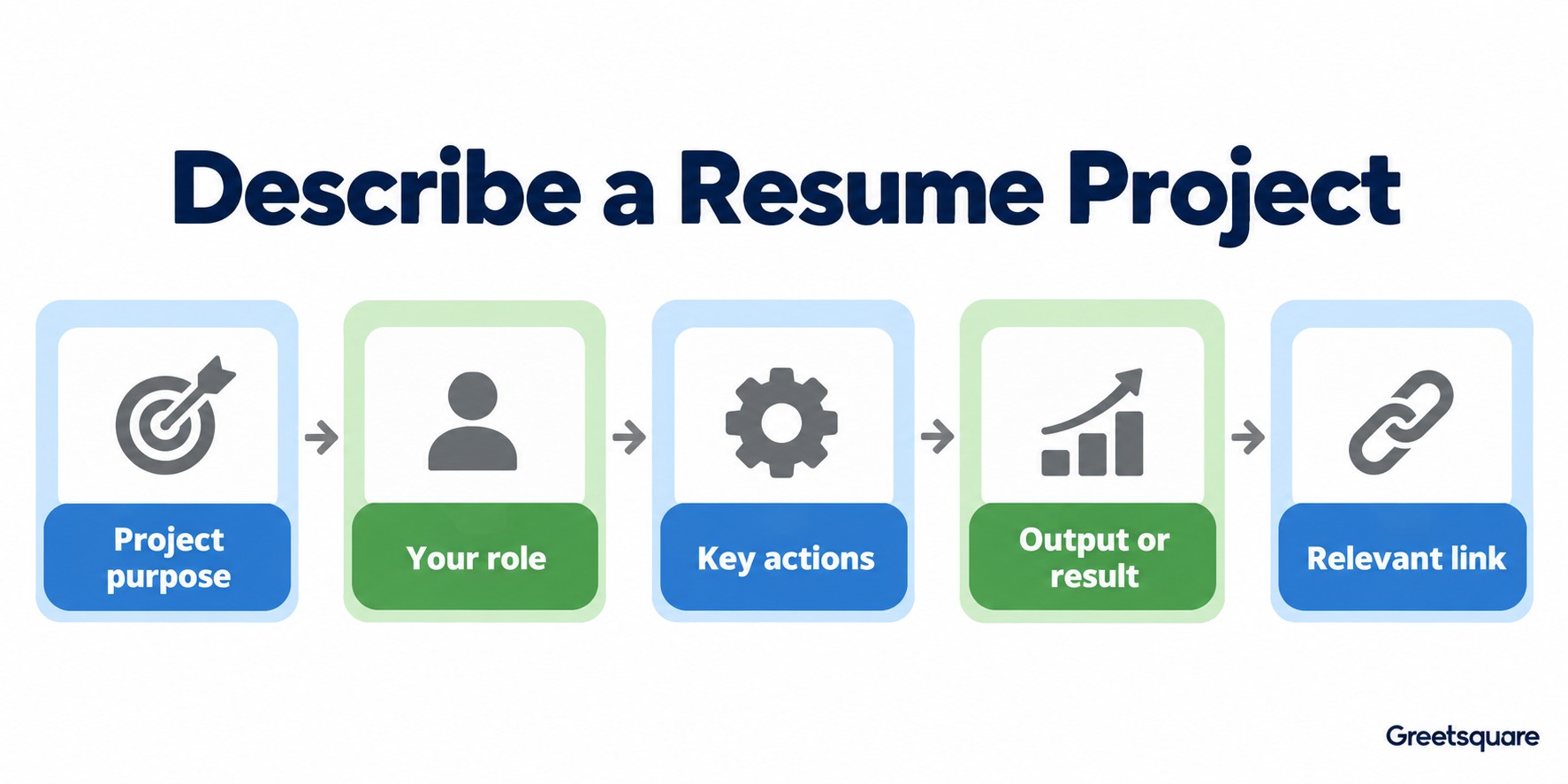
Purpose or Question
Explain the problem the project addressed in plain language. A title such as analytics dashboard may not reveal the question it answered. A short description of the intended user or decision gives the reader a basis for understanding why the methods and output matter.
Your Role and Actions
State the part you performed. In a team project, identify your responsibility for data preparation, testing, stakeholder updates or another concrete activity. Avoid using the team’s entire workflow as a list of things you personally did. Choose accurate verbs and describe the tools only where they help explain the work.
Output, Result and Limits
Describe what was produced and how it was evaluated or used. If the project ended with a prototype and a test report, say that rather than claiming business impact you did not measure. A limitation can provide useful context, especially when it distinguishes a demonstration from a production system.
Use a Concrete Example Without Copying Its Claims
Consider a fictional academic project investigating delayed deliveries in a synthetic dataset. A weak entry lists only “Python, Excel, teamwork.” A clearer description identifies the question, says that you cleaned records and compared delay patterns, and names the resulting analysis and recommendations as the output.
You could then explain that the work used synthetic data and did not establish the cause of delays in a real business. That limit does not make the project worthless. It shows the reviewer what the analysis demonstrates and what it cannot support. Do not copy the example unless it accurately describes your own work.
For a nontechnical project, the same logic applies. A volunteer event plan might show scheduling, coordination and communication. Describe your responsibility and the deliverable or documented outcome instead of borrowing a technical format that hides the practical contribution.
Choose Links That Help the Reviewer
A supporting link can provide a report, demonstration or authorised repository. Use a destination that explains the project and opens for an intended external reader. Check permissions without relying on your own signed-in session. If confidential material cannot be shared, keep the resume description at an accurate permitted level.
Make the link’s purpose clear. A repository should ideally help the reader understand what the project does and how to inspect the relevant work. A report should identify the question and output. Avoid sending reviewers to a large unorganised folder or a private document that immediately asks them to request access.
Check dates, tool names and ownership against the original work before submitting. If the project changed after a draft was written, update the description so the link and resume do not present conflicting versions of the output.
Fit the Section Into the Whole Resume
Place projects where they support the application’s priorities and keep formatting consistent with other entries. A project should not displace more relevant employment evidence solely because it looks visually attractive. Our role-based resume examples can help you compare information order for different vacancies.
Review the entry against your source work and prepare to explain a decision from it in an interview. If a video introduction is requested, Greetsquare can help you introduce a relevant project in your own words. Keep the written description, supporting link and spoken account consistent about the setting and your contribution.
Frequently Asked Questions
Can I Put Academic Projects on My Resume?
Yes, when they provide evidence relevant to the role. Label them as academic work and explain the question, your contribution and the output. Do not present a classroom prototype as commercial deployment or claim results you did not measure. Keep the description consistent with the supporting work you can discuss.
Should Every Project Have a Link?
A link is useful when it gives an authorised reviewer meaningful supporting evidence. It is not mandatory when the work cannot be shared or the link adds little value. The resume should still explain the project clearly, and any destination you include should be accessible and appropriate for external viewing.
How Do I Describe a Team Project?
Explain the shared purpose briefly, then identify your own responsibility and actions. Distinguish your output from the team’s combined result and avoid implying that you performed every task. Prepare to discuss how your work connected with others, including important decisions, handovers or limits that affected what the project ultimately produced.
Where Should the Projects Section Go?
Place it where it supports the application’s most relevant evidence, using a clear heading and consistent formatting. For some candidates it belongs near education; for others the project fits better beneath a related job. Avoid duplicating the same story in multiple sections, and follow any employer template or specific instructions.